For years, Apple Siri was the assistant you used to set a timer or skip a song. Capable enough for quick tasks, but rarely the thing you turned to when something actually mattered. That has changed. At WWDC26 in June 2026, Apple introduced Siri AI, a completely rebuilt version of Siri powered by the next-generation Apple Intelligence. And the difference is not incremental. It is a rethink of what an assistant on your devices can do and how naturally it fits into your day.
Here is what that looks like in practice.
Not Just a Smarter Siri. A Different One Entirely
Siri AI is not an update to the old Siri. According to Apple’s June 2026 newsroom announcement, it has been built from the ground up with a new architecture, new foundation models, and a fundamentally different approach to understanding your needs.
The old version responded to commands. This one understands context. It knows what is on your screen, what is in your messages and emails, and what you have been doing across your apps. It draws on all of that to give you answers and take actions that make sense for your situation.
Personal Context: Siri Knows Your Life, Not Just Your Question
One of the most practical upgrades is personal context understanding. Siri AI can search across your messages, emails, photos, and calendar to surface information you need without you having to remember where it lives.
Ask it to find the hotel booking a friend sent three weeks ago. Ask it to pull up the restaurant someone recommended in a conversation last month. Instead of opening each app and scrolling, Siri does the searching. This extends to third-party apps as well, when developers integrate with Spotlight.
Onscreen Awareness: Siri Sees What You See
Onscreen awareness means Siri AI can read and respond to whatever is currently on your display. You do not have to describe what you are looking at or copy and paste anything.
If you are reading a message about a dinner plan, ask Siri to add it to your calendar without switching apps. If you are looking at an address in Safari, ask for directions without copying the text. The friction of moving between apps and repeating information to your phone is removed.
Broad World Knowledge: Real Answers, Not Just Links
Siri AI can now go out to the web to find current information and give you a direct response, not a list of links. An answer, generated from what it finds, with the ability to ask follow-up questions in the same conversation.
This brings Siri into the same territory as standalone AI chat tools, but with the advantage of sitting inside your phone, connected to your apps, your data, and your context.
Visual Intelligence: Point and Ask
On iPhone, a new Siri mode is built directly into the Camera app. Tap the shutter button, and Siri can see what the camera sees and respond to questions about it. Point it at a dish and ask about ingredients. Point it at a product and ask where to find it. Point it at text in another language and ask for a translation.
On iPad and Mac, Visual Intelligence is available through screenshots and a keyboard shortcut. On Apple Vision Pro, you can ask Siri about objects simply by looking at them.
Conversation History That Follows You
Siri AI now includes a dedicated app that holds your conversation history, synced privately across all your devices via iCloud. Start a conversation on your Mac and continue it on your iPhone without losing context. For anyone who uses AI tools regularly, this is the kind of continuity that becomes hard to go without.
Writing Tools Built Into Every Text Field
Writing Tools work in virtually every app where you type, including most third-party apps. Describe what you want written, and Siri will draft it. Ask it to rewrite something, adjust the tone, or shorten it. When composing emails, Siri AI can adapt to how you typically communicate with each person and proofread quietly as you type.
Across Every Apple Device
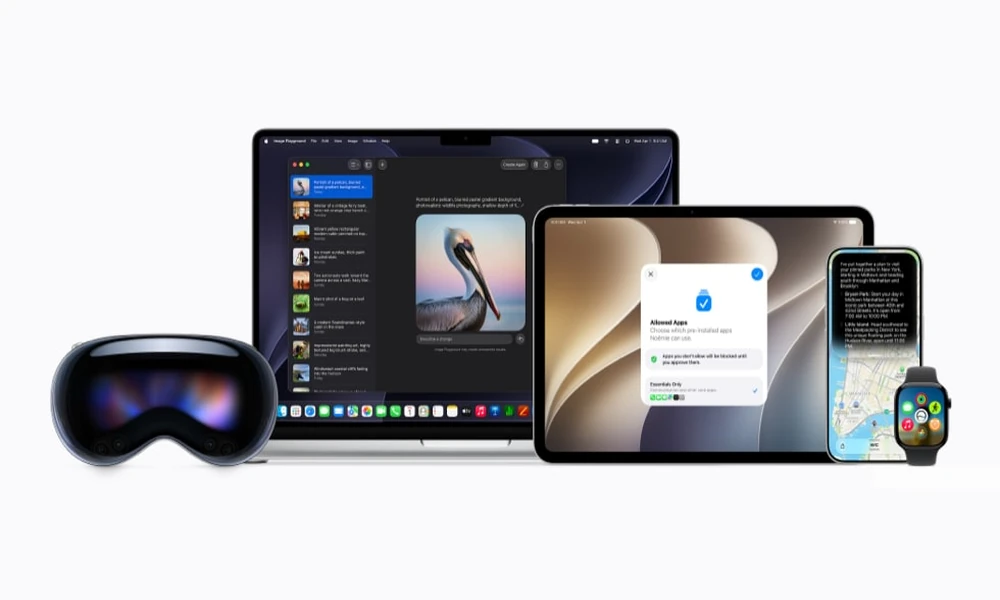
Siri AI works across iPhone, iPad, Mac, Apple Watch, CarPlay, AirPods, and Apple Vision Pro. On iPhone, invoke it with the side button, a voice command, or by swiping down from the Dynamic Island. On Apple Watch, it is available from the wrist. On Vision Pro, it appears as a 3D visualisation you activate simply by looking at it. Conversation history syncs across all of them.
Privacy at the Core
For requests that require server processing, Siri AI uses Apple’s Private Cloud Compute. According to Apple, personal data handled this way is never stored and is not accessible to Apple or anyone else. Tasks that can be handled on the device stay on the device.
Ready to Experience It
Siri AI is available on iPhone 16 and later, iPhone 15 Pro and Pro Max, iPad with M1 or later, and Mac with M1 or later. On the wrist, it is supported on Apple Watch Series 9 and later, Apple Watch Ultra 2 and later, and Apple Watch SE (3rd generation), with the SE requiring pairing with a compatible AI-enabled iPhone. All models of Apple Vision Pro are supported as well. It rolls out in beta for English-language users later in 2026.
If you are considering an upgrade, now is a good time to buy iPhone online, with no-cost EMI options available across leading banks.