

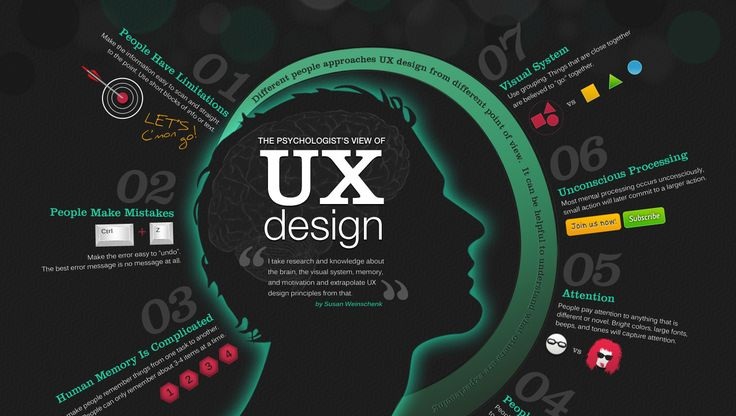

Making a product? Software, hardware, phone or Ferrari, it’s crucial that whatever you’re creating is easily useable by whoever you’re throwing it at. In web design, double that sentiment.
When it comes to user experience, the best websites stick to simplicity to enhance ease of use – but minimalism isn’t necessarily the name of the game. There are critical features every site should have to enhance user experience, and a simple user interface is just one facet of a series of elements working together to make a good site. Here’s a short checklist on the necessary features:
Visuals
Color palette, font, font size, orientation of information. Where’s the introduction? Where does the user gain the most information? The least? Are links organized in a convenient, efficient manner? All of these elements and more must be considered when you’re optimizing the user experience of your website. After function has already been considered, each individual page must be then detailed to form. Websites that accomplish the task of being friendly to the human eye attract and maintain more traffic than others.
Accessibility
You can’t have a website that is difficult to access. In web design, there’s an ever-ongoing march towards upward, towards the peak of simplicity and ease of use. Some websites accomplish this better than others by utilizing visuals and user interface in tandem. Interfacing with the website should be one of the main priorities when it comes to designing. Links not only need to look like they’re in the right place, they need to be in the right place so that the user is able to quickly navigate around various pages without even thinking about it. If someone has to search for a link or scan the page for a length of time to find the information they’re looking for, the user interface is inefficient.
About Us
Now that the baseline of design is out of the way, you need to ensure that website visitors know who or what they’re dealing with. An About Us page works wonders at making sure of that. It shouldn’t be too long (the average attention span is about 8 seconds) so you want to make sure that you’re conveying key information. Keep it straightforward or make it quirky, but a good site needs to introduce itself one way or another.
Contact Hub
Email, phone number, even a signup section for a mailing list – it’s crucial that there’s a space to contact the site owners. User experience takes a nosedive once someone becomes interested in the website, wants to learn more, and then can’t get a hold of any more information or talk to a live human being.
Eye-Catching Images
This ties into visuals, but is important enough to hold it’s own spot on the list. Not only do your images need to be placed in the right places to work, but they also need to be good images in and of themselves. Professional shot or drawn images are definitely preferred.
A good web design will incorporate all these elements and have them work together.
