

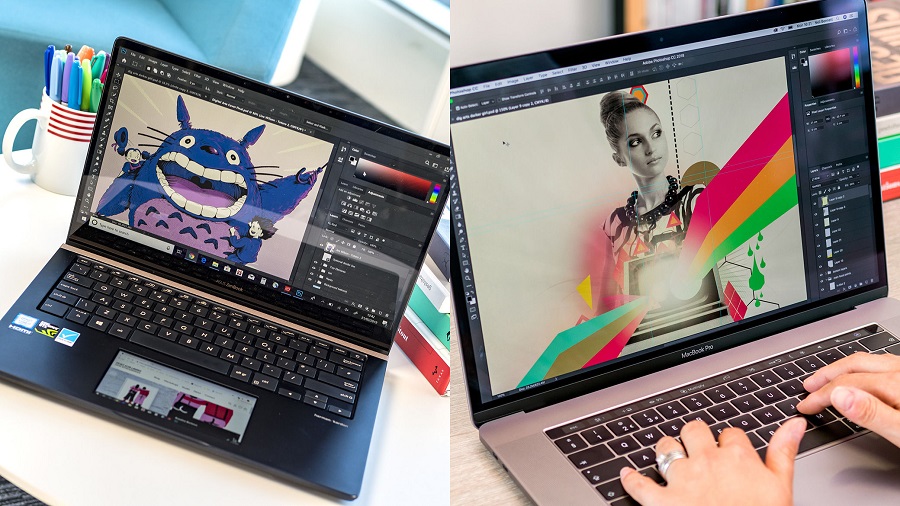
Digital technologies provide artists with a modern medium that promises infinite possibilities. Using a computer, a person can draw anything from his imagination — portraits, landscapes, or abstract art. Graphics artists can create advertising material for their clients or complete commissions from their patrons. There is no limit on the types of styles that can be pursued from line art to photo-realism to 3D. Some projects can be finished in a few minutes while others can take weeks or months. Productivity can be improved by using excellent equipment, tuning them for optimal use, and getting used to the process. Here is a guide for setting up a drawing laptop:
Check the Laptop Specifications
Desktops tend to be more powerful than laptops at the same price scale but the latter is more convenient. For students and workers alike, the ability to use the same machine wherever you are is a great boon. You can work on projects around the clock instead of being confined to office hours. You just have to make sure that the device is adequate for your purpose. Consider the drawing software that you are likely to use all the time. The developer should state the minimum and recommended system requirements for it. Follow this to make sure that you have enough resources to have a trouble-free experience.
Attach an External Monitor
Since you are dealing with visual art, you must be able to view every detail without any issues. Color reproduction and resolution should be top notch. IPS panels are preferred as the image will look good from any angle unlike with TN panels. The resolution should at least be 1080p full HD but you can get laptops that have 4K displays today. Check the color gamut as well and make sure that this is as close to 100% as possible. Just remember that you can always connect the device to an external monitor if you are unsatisfied with the current screen. This is particularly useful if you want a much larger display.
Plug In a Graphics Tablet
While it is possible to draw with a mouse, it would feel natural to do so with a pen. Graphics tablets have sensitive surfaces that feel a lot like paper. They come with a pen that you can use to create your art. It takes over the cursor from the mouse and can mimic any artistic tool depending on the software settings. You can use it as if it were a pencil, a charcoal stick, a brush, or an eraser. Different tablets have varying levels of sensitivity. More is always better as you have greater control of the nuances.
Calibrate the Display
Now that you have all of the tools that you need, you should make sure that these are tuned to your needs. A good example is the display which should be calibrated. Although regular users can skip this part, artists will want to take the time to ensure that what they are seeing on screen is a good approximation of what it will look like in other monitors and on a printed page. Basic calibration can be performed using Window prompts that will guide you throughout the process. Online resources will provide additional information. Serious artists might want to purchase calibration devices.
Optimize the User Interface
Open up your preferred software and think about the layout of the interface. Most of these programs will allow you to move things around to your liking. This is great for your workflow as the most commonly used tools will be easier to access. You will spend less time clicking around and more time drawing your masterpieces. It would also be good to memorize the commands. Print them out for quick reference if you haven’t yet.
