

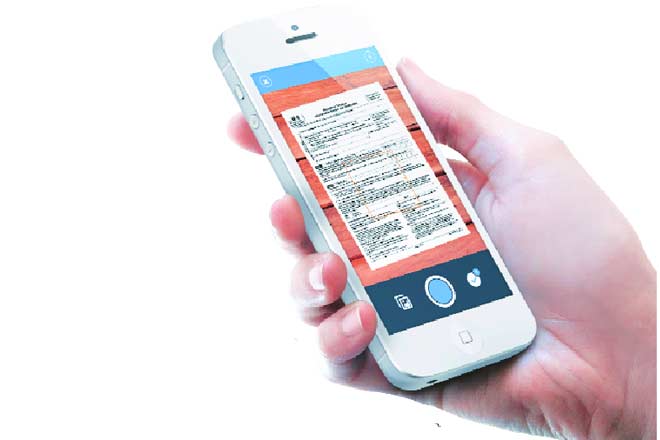
When you need to transfer a lot of files into a digital format, you might not have the time or the technical know-how to make sure that the process is completed properly. You might make mistakes, such as scanning the files incorrectly or converting them into a format that is not compatible with the computer programmes that you are using at the office. This would happen when scanners and digital files conversions were not as sophisticated as they are now.

You can hire a specialist company to take care of everything that is involved during the process, but there are ways that you can make the process quite simple. When you are moving between meetings and going to training seminars, you might not actually spend a lot of time in front of a desktop.
This means that your smartphone becomes your most important tool for getting things done in an efficient and correct way. You can use a special document scanner app that you can download onto the phone. Why should you install the app on your phone?
You Can Upload Documents With Just A Couple Of Clicks
You want the app to give you convenience. This means that you need to be able to scan and store these important documents. When you are on the go, you can consult these JPEG and PDF files with ease. This is useful for business owners who do not have a lot of technical knowledge about the scanning process.
You Can Store The Digital Documents In A Streamlined Filing System
Whether you have scanned hundreds of employee profiles, client contracts or company protocol documents, it is vital that you have a proper filing system. When files are not itemised properly, you or your management team will have a very tough when it comes to locating what you have already scanned.
When you have a paper backup of a document this is only a medium-sized problem. You can simply ask someone to scan the document using the same app on their phone and send the file to you. A high-quality app will let you do this within the app itself. This saves you a lot of time because you do not have to transfer the JPEG or PDF using email.
Sometimes, the files can be too large to be attached to an email. This is especially true of company overview documents which might run to hundreds of pages when it has been printed on a hardcopy document. These documents can be scanned and then uploaded without any problems whatsoever.
You Don’t Have To Deal With Bulky Paper Files
Buying filing cabinets to store bulky paper files can be expensive. You can cut costs and save space when you use the app to create digital files. You can use a backup system with the app so that you will never lose any files whatsoever.
Choose the right app to scan and store documents properly.
