

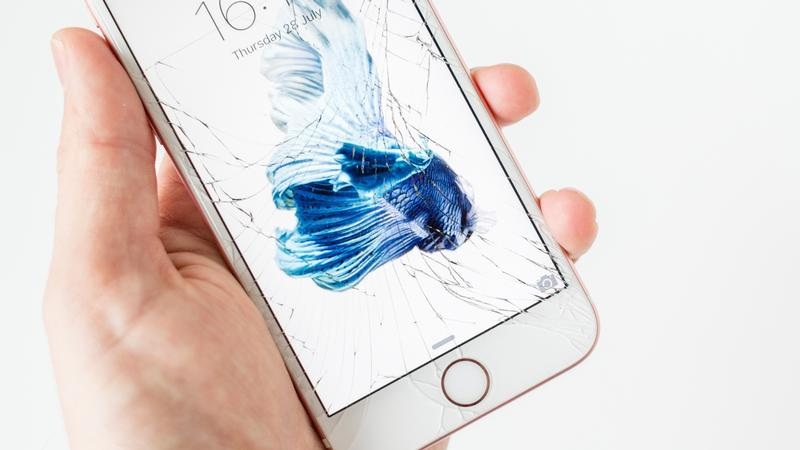

iPhone’s are not particularly light in someone’s pocket. iPhone SE costs around $399 while the latest model of an iPhone, the iPhone X will set you back $999. That’s why when an iPhone is accidentally dropped or hit by a heavy object, we usually panic especially if we see a broken or cracked screen. If you have recently experienced such a heart-shattering event, then do not panic. We have laid down the steps on what to do right after your iPhone suffers from a broken screen.
Also, if you haven’t upgraded to the new iPhone and not sure which one to get you should read this review on which one to get, the iPhone 8 or iPhone x.
Stay Calm and Assess the Damage
The usual response right after breaking one’s iPhone is to panic and our mind goes to overdrive. So the first thing that you need to remember is that emotions will not get you anywhere. Stay calm as much as possible and try to be level headed when dealing with the problem. Once you are all calm, then it is time to assess the damage inflicted on your iPhone. Check if the problem can be characterize from crack as thin as a hairline or the damage as serious as a completely shattered glass.
Be Careful of Broken Glass
No matter how heart shattering a broken iPhone screen can be, one must be very careful when dealing with such a thing. The shards from an iPhone are sharp, small, and splintery. It is tempting to continue using an iPhone even with a broken screen. Be cautious, however, since even if the whole screen is not broken, some broken pieces may still fall out of place and cause splinters.
If your iPhone has a screen protector, then it is best not to remove it – broken screen or not. When your screen is broken and your phone has a plastic screen protector, then the latter is the only thing keeping the broken pieces together. Removing the plastic protector will make the shards fall out. Instead, what you can do is slowly pull out the protruding glass while it is over a garbage can or some container which can collect the glass as it falls. Be careful when pulling the shards out as you might cut yourself in the process.
For marketers, it’s been always challenging to acquire new methods for efficient marketing. One such technology is ringless voicemail where messages are being sent without ringing the phone. You can use ringless voicemail real estate or in mobile segment.
Do Your Research
Before heading to the nearest or most popular iPhone repair store in your town, do you research first and compare repair services with their prices. As expected, repairing the latest model is more expensive than if done on earlier models. In addition, models with larger screens cost more to repair and replace than those with smaller screens.
For some people, it is best to go to an Apple Authorized Service provider. For one, this kind of provider knows Apple fairly well and uses Apple OEM components. Think of the lifespan of your phone as well. If it is fairly new and of a recent model, then it is advisable to invest a little more money than usual because you will be using your phone for much longer.
There are many things that you can do besides the ones mentioned above. You just have to make sure that whatever you do after your iPhone’s broken will not aggravate the damage. If you are planning on repairing your own screen, then you have to double the effort. Repairing the iPhone yourself is a tricky business since you are unfamiliar with the different components of the phone and the proper handling of delicate parts, unless you are already a phone technician.
Lastly, prevention is always better than cure. Rather than focus on the things you might need when repairing the phone, invest more on precautionary measures like a sturdy protective case or screen protector to minimize the probability of breakage.
