

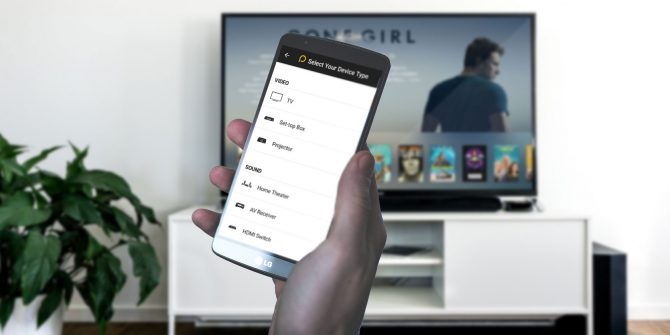
When you can virtually do everything through your phone today, why not control your appliances? Remote apps have enabled smartphones to assume yet another responsibility today. Typically using infrared or Wi-fi technology, these apps let you operate almost any smart device through your phone.
While there are a number of remote apps available in the market, you may want to get acquainted with the most popular and widely used one – Peel.
What is Peel smart remote?
Peel is a universal remote app through which you can control devices and appliances at your home simply using your Android phone. In particular, it optimises your TV watching experience with loads of innovative and cool features.
How does Peel IR remote work?
Peel uses the IR-blaster in your phone to connect with devices. There are many Android phone today that are equipped with IR-blaster. Peel comes pre-installed of a few of them.
If your phone doesn’t have IR capabilities, Peel uses your Wi-fi network to discover and connect with devices that are Wi-fi enabled such as smart TV and media players, Xbox, gaming consoles etc. However, you have to make sure both the phone and the devices to be controlled are on the same network.
It offers an amazing TV viewing experience.
Does browsing channels to find something interesting irritate you at times? You can rid of that with Peel. It shows what programmes like movies, shows or games are trending at the moment and which ones you watched recently.
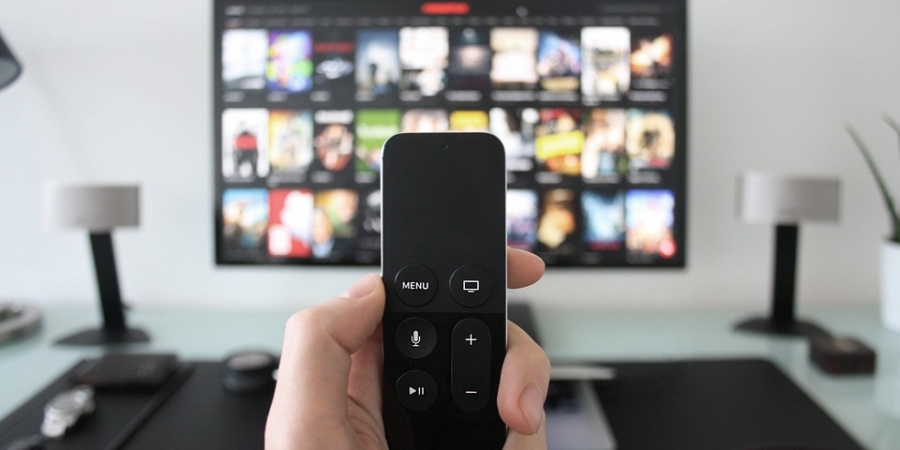
You can also ask the app what’s upcoming or search for shows by genres or categories such as sports, news, movies, horror, thriller, action, infotainment etc. One tap on the result takes you to the corresponding channel. This saves you from all the navigation and jumping through different channels. Additionally, you can see short clips or and highlights of different shows in the “Video” section on Peel screen.
Peel is a sophisticated remote control which in addition to all the basic functions of a traditional remote, offer an extraordinary user experience. It has a high-definition, user-friendly interface and allows you to customise controls as you want. It lets you create different rooms for devices. So, you can add all the devices in a room organised. Switching between rooms is smooth. You can even customise or rename a room.
Even when your phone screen is locked, Peel TV remote continues to add value. It gives a quick view of breaking news, weather, horoscope, games etc. Moreover, the remote widget of the app allows you to perform all basic controls of TV and set-top box.
Schedule a list of TV programmes in advance.
Sometimes, because of your hectic routine or possibly due to some distractions, you may not remember to watch a sports match you had been waiting for. Don’t you hate it when you realise you missed it? But you don’t have to face such a situation anymore.
With Peel remote control, you can create a list of the TV programmes you want to watch and set reminders for them. So, when there is a time for a programme from this scheduled list, the app will send you a reminder so that you don’t end up missing it accidentally. And you can plan a schedule like this for up to one week ahead!
Voice technology multiplies your remote-control experience.
Have you ever wished you had a dedicated virtual assistant like Jarvis from Iron Man movies whom you could speak to and give commands? If not exactly like that, Peel does something similar. It only follows your vocal command and operates appliances based on that, it also understands the hints for commands.
For example, if you ask the app to show the movie which stars Leonardo DiCaprio and Kate Winslet with a reference to a ship or a song by Celine Dion, it will show you the movie Titanic as result. Isn’t that one impressive feature?
It’s an economical and efficient home automation solution.
While Peel remote control’s popular area of application is home entertainment, that’s not all. It can also control a huge variety of appliances such as AC, camera, lights, smart locks and we can say – what not. In other words, it can control almost anything with IR or Wi-fi capabilities. You can imagine this with a fact that Peel supports 150+ brands of home electronics. It’s compatible with more than 4,00, 000 types of devices and appliances. And these numbers are continuously increasing.
This compatibility also enables the app to offer an exceptional way of home digitisation. There is no need for expensive equipment or devices, neither do you need technical expertise to install and repair it. Thus, your costs and concerns both are reduced significantly.
You can group controls for devices to operate them simultaneously.
Sometimes, you need appliances to function in certain combinations to do the needful. For instance, when you hit the bed at night, you may want mild music piece playing, night lamp on, AC temperature set at 24-degree Celsius, and the main door locked. Typically, you would have to perform these actions separately. But if you want this combination every night, you can group controls for all the devices on Peel smart remote. And then you can press just one tap on your phone screen and call it a night.
You can create numerous combinations like the above for different moods and needs.
How do you set up the app?
It’s quite easy to set up the app. Download it from the Google Play Store and install it on your phone. Once that done, it will guide you on how to set it up. In case of TV, you will need to select the brand and your location so that Peel can provide the best features and programme schedules for your region.
And this smart remote doesn’t cost you at all.
Peel is a free app and there are no hidden charges. Its sources of revenue are in-app advertisements. However, if you don’t want advertisements, you can opt for the paid version which only comes at a nominal fee.
If you aren’t a Peel user already, you may want to transform your remote-control experience. Replace all other remotes with one universal remote using Peel remote app for your Android phone.