

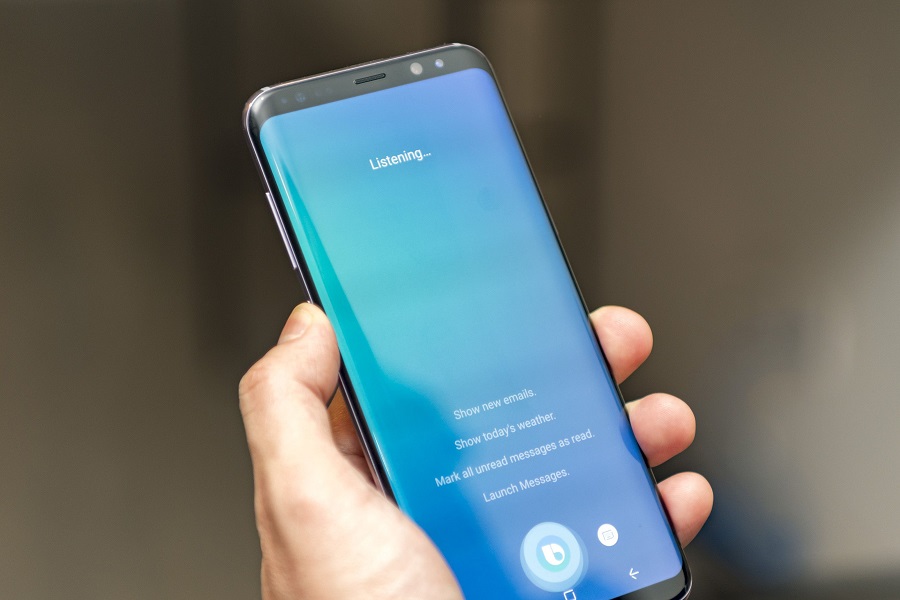

Recently, Samsung has announced that it will finally let Galaxy S8 owners disable the Bixby button. According to Samsung Mobile, the Bixby button is a dedicated button which acts as a smart voice assistant for the company. However, there were a lot of questions on why the company decided to put the dedicated Bixby button on the side of the phone and yet it seemed to be of no use. It was until recently the Bixby voice could not be accessed to Galaxy S8 owners. For this reason, Samsung is coming up with new plans of disabling the Bixby button.
What is Bixby Button?
The Bixby button is a dedicated button for voice assistant in the Galaxy S8 which is presently on the Galaxy S8 Active as well. The button replaces the Active multifunctional key for the Galaxy S active smart phones. It is like Bixby button will become a permanent fixture on all Samsung flagships from now because some of the leaked images of the Galaxy Note 8 show that the upcoming Samsung flagships will as well have the dedicated Bixby button. On the non-flagship devices, the company is more likely to add a dedicated button for a virtual assistant. Samsung is making it clear that there are plans ahead to expand the Bixby to more devices; it is only a matter of time.

What does the Bixby button do ?
So what the Bixby button does is to is to bring the Bixby Home. But if you live in South Korea or the United States you will notice that the button does not do much. In South Korea or the United States, when one presses the button, it brings up the voice assistant who becomes ready to do as you command. According to Samsung, the button does almost everything in response to a voice command that the user can as well do manually by interacting with the display. However, the company has not yet announced when it will launch this future around the globe. Although there is the possibility of launching the Bixby voice globally, the company still has no confidence regarding the launch.
Most of the users of the Galaxy S8 and S8 plus say that the button is not used and that it is boring to have a dedicated button on the phone that serves no purpose. It also gets on the way bringing some confusion. It becomes a challenge especially when one accidentally presses the button trying to lower the volume or when one wants to take away the Bixby Home so that you can do what you wanted to do. It is always unavoidable not to get in touch with the Bixby button because whether the phone is on a flat surface or when you are trying to find a more comfortable position to hold the device you will still press the button accidentally.

Plans to disable the Bixby button
Samsung has made it harder remap the button, and that is why today it has made it possible for the users to disable the Bixby button. By enabling the users to disable the button, they will get prevented from frustrations when they press the button accidentally. To disable the Bixby Voice, you just need to go the settings on the Bixby Home and disable, and after this, the Bixby Button will not do anything even if you press accidentally. But if you will not turn off the Bixby’s voice, the Bixby smart assistant will continue to function normally when you long press the Bixby button.
However, it looks like that one can only disable or re-enable the Bixby’s voice but not remapping it. The users will not be able to the change the functionality of the Bixby button unless they move to third-party alternatives. It is important for any user of the Galaxy S8 and S8 plus to know that once you want to access the Bixby Home back, you can always swipe left on the home screen. It will also start working as a Bixby smart voice assistant. Just long press the button like you did before disable.
Apparently, the new update seems to be present on some devices, and others still do not have, It quite random. Maybe the company is working on it and with time all the Samsung Galaxy S8 and S8 plus will be updated.
