

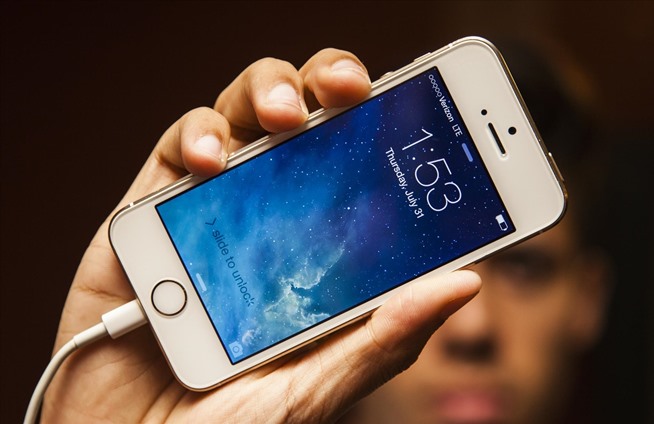
iPhone 6 are very popular and cherished handsets among people. They offer exemplary storage, visual and audio features to people. Charging is one of the areas where sometimes iPhone 6 users face issues. There are certain tips and methods that would help you fix this problem.

Issue 1: Problem related to charger cable
This is the commonest form of charger problem. Many people experience that whenever they put the charger into the slot, it gives a message stating “cable not supported.” Along with this error message, the phone fails to charge.
Restart the phone:
The solution to this problem is to switch off the phone. Now, insert the iPhone 6 charger in your phone in the off mode and then witch on the power. Due to the power input, your phone would start automatically. Now you won’t have any issues in phone charging. If the problem does not solve by this method, then follow the next method.
Clean dirt from lightning port
Disconnect your iPhone from the charger. Now check its lightning port. Sometimes, the dirt or lint is what prevents the phone to get charged. It interferes with the process of charging. To clean the accumulated dirt, you can use a toothpick or a bottle of compressed air to clean the port thoroughly.

Replace the USB cable:
If the port is clean, then it could be the case that the problem lies with the USB cable. Get a new Apple company certified USB cable. Now, check if the phone is getting charged or not.
Issue 2: If iPhone 6 get freeze on being connected to charger
Sometimes, iPhone may not function after plugging in the charger. As soon as the charger is unplugged, it resumes its normal working state.
Change the power source
There are two things that you need to check to solve this problem. Firstly, ensure that you use the company manufactured USB cable and charger. If they are company certified, you try plugging your charger to a different electricity source. If the issue still persists then try a different wall charger and USB cord to check if the charger is still causing the problem.
Take assistance of company technical professionals
If none of the above-mentioned solutions work, then it is better to call up Apple customer support center. They are glad to solve different types of issues that customers face on their phone. The certified technical professionals will offer you free technical support on all types of issues faced by people regarding their iPhone device.

Their step by step instructions guide people to solve major hardware issues in their phone easily. You can contact them via different channels such as email, phone, chat, and support forums. Their customer service representative provides ‘24 *7’ support to help their customers with the best and timely resolution of their queries.
Charging issues can be due to a variety of factors. Proper identification of the issue and learning the right way to solve it would help you enjoy it uninterruptedly.
