

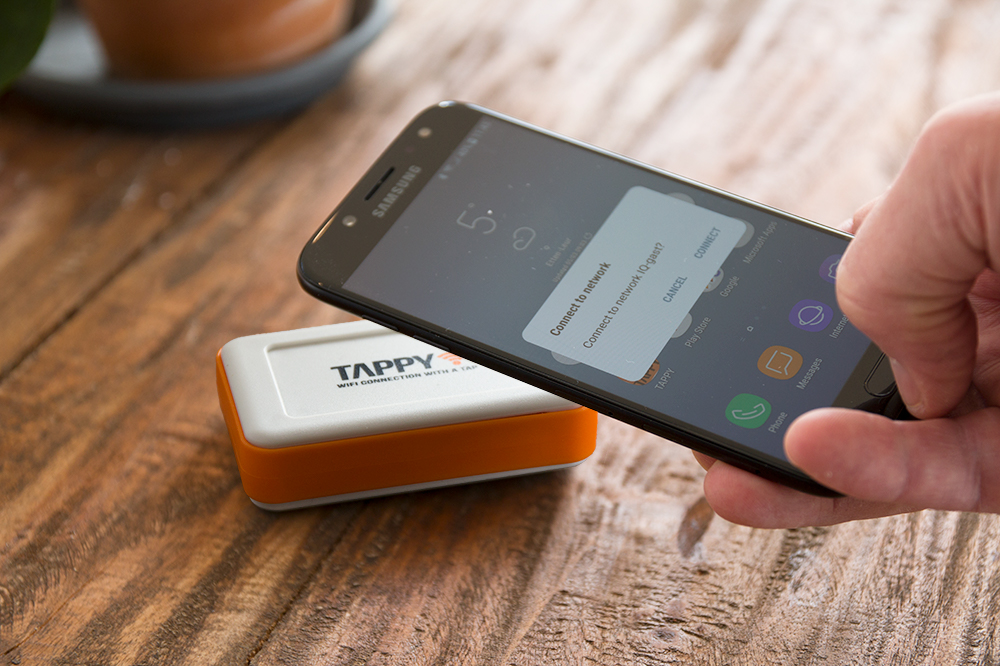
Do you dwell with the uncanny feeling of discomfort while sharing your wifi password with guests in the house? Well, if you do, you’re not alone. A lot of people share the same feeling. But what if there’s an option to give people access to wifi without actually having to share the password? Sounds interesting, right? Well, if you too are someone looking for such an option, then you must consider using Tappy – a simple chip operated device that will keep your wifi password safe. Read through the guide below to learn more about the product.
What Is Tappy?
Tappy is a small and compact chip-based device that works as a link between your wifi and the connected devices. It works by securing and remembering your wifi password, no matter how complex and large it is. You can also select a code for tappy so that no one can overwrite the password.

Once you set the code, configure Tappy with the guest network. You can then share the guest network details with people willing to use your wifi.
What Are The Best Features Of Tappy?

By now, it’s evident that Tappy is the best device that can secure and save your wifi password. Besides, you need not write the password anywhere since Tappy remembers it. Some of the most noteworthy features of this device are given below.
- Once configured, Tappy needs no outside power source for charging. It can run for years without malfunctioning
- You can reprogram and reconfigure the device whenever you change to a new router system
- Unlike other devices, Tappy does not collect any personal data
- It’s an independent device that works Android Lollipop and advanced versions. However, it is not directly compatible with iOS devices
- Other than smartphones, Tappy can also work with tablets. All that’s required to get tappy working with Android devices is an NFC chip
How To Use Tappy?

As complicated as it seems, it’s actually fairly simple to set-up tappy. The step by step guidance is given below.
- Download the Tappy app from Google Play Store
- Once installed, open the app and choose the wifi network you want to be configured
- Once you select the network, enter the wifi password
- Once you enter the password, click on the configure Tappy option
- Soon after you click on the configure Tappy option, tap the phone on the Tappy device until you hear a beep sound
- Once you hear the beep sound, Tappy is configured and ready for use
What Are The Best Benefits Of Tappy?
Tappy is a cost-effective device that offers the following benefits.
- You will never lose your password because tappy stores it for you
- You don’t have to share the wifi password with anyone
- You don’t have to manually type the password on the devices you want to configure
- You don’t have to write the password anywhere to remember it
- It takes no more than 10 seconds to connect a device with wifi when using tappy
- It has zero maintenance cost; hence, is economical
Now that you know about the benefits and features of tappy, it’s time that you also learn about the devices that tappy is most compatible with.
Whilst compatible with all Android devices like:
- Motorola
- Samsung
- Huawei
- LG
- HTC
- etc
Is It Possible To Pair Tappy With Apple devices?
There’s no direct way in which you can configure with Apple devices. However, Tapy makes a unique QR code that can be printed and stuck to the back of Tappy using the supplied stickers. iPhone’s and iPads can scan the QR code with the normal camera and connect directly to the WiFi network
